# Send & Receive Tokens
### How to Send token?
Allow users to send a chosen token amount to a specific wallet address.
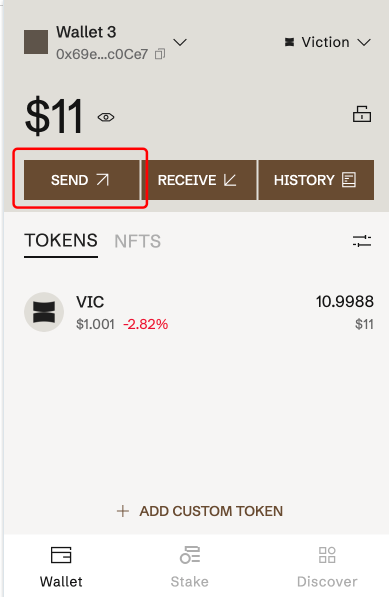
**Step 1:** Access to Viction wallet
**Step 2:** Click **Send**, then select a specific token
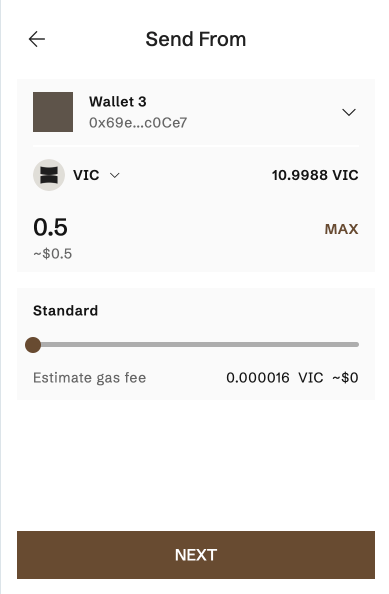
**Step 3:** Input the token amount then click **Next**
_Notes_:
* If your account balance is insufficient or your address is incorrect, you will get an error message
* You can custom gas fee
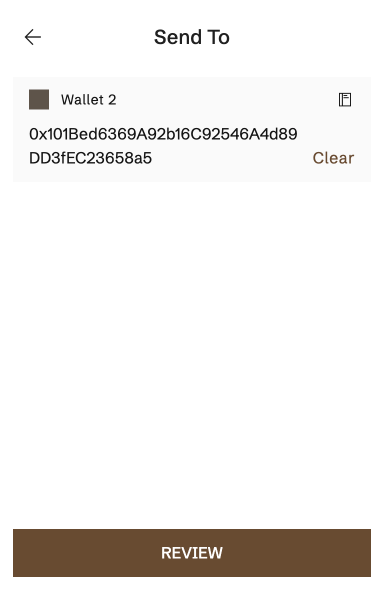
**Step 4**: Input the recipient address in these ways:
* Enter recipient address
* Click on the contact icon to select the wallet available in Viction _(Show only wallets other than sending wallet)_
* Click the **Paste** button to paste the address that you have copied into the clipboard
→ Then click **Review**
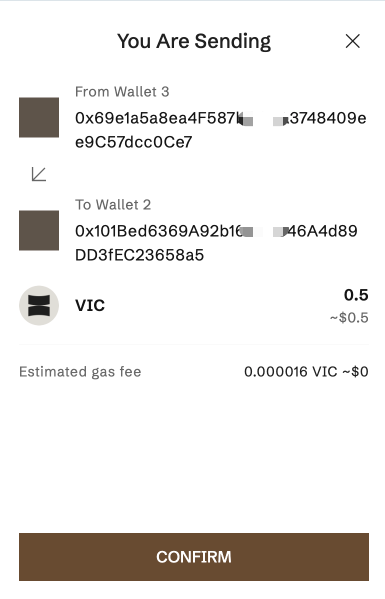
**Step 5:** Click **Confirm** to confirm transaction
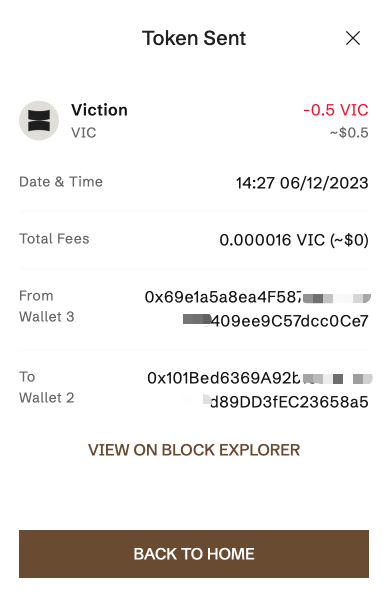
After the transaction has been finalized, the sender will be redirected to a transaction details page, and the recipient will get a message that they have received the assets.
### How to Receive a token?
The receiving address can be displayed or copied to the clipboard easily by following these steps:
**Step 1:** On the home screen, click **Receive**
**Step 2:** Select a specific token
**Step 3:** Click on the **Copy Address** or Scan the **QR code** to get the wallet address